A smart switch without the cloud: what to ask before it goes into the wall
A switch stays in a house for twenty years or more. A phone app and a manufacturer's cloud may not last that long. We have written down seven questions worth asking about any smart switch, and for each one we say how we solved it in our BALANS switch, which we are currently testing on prototypes.
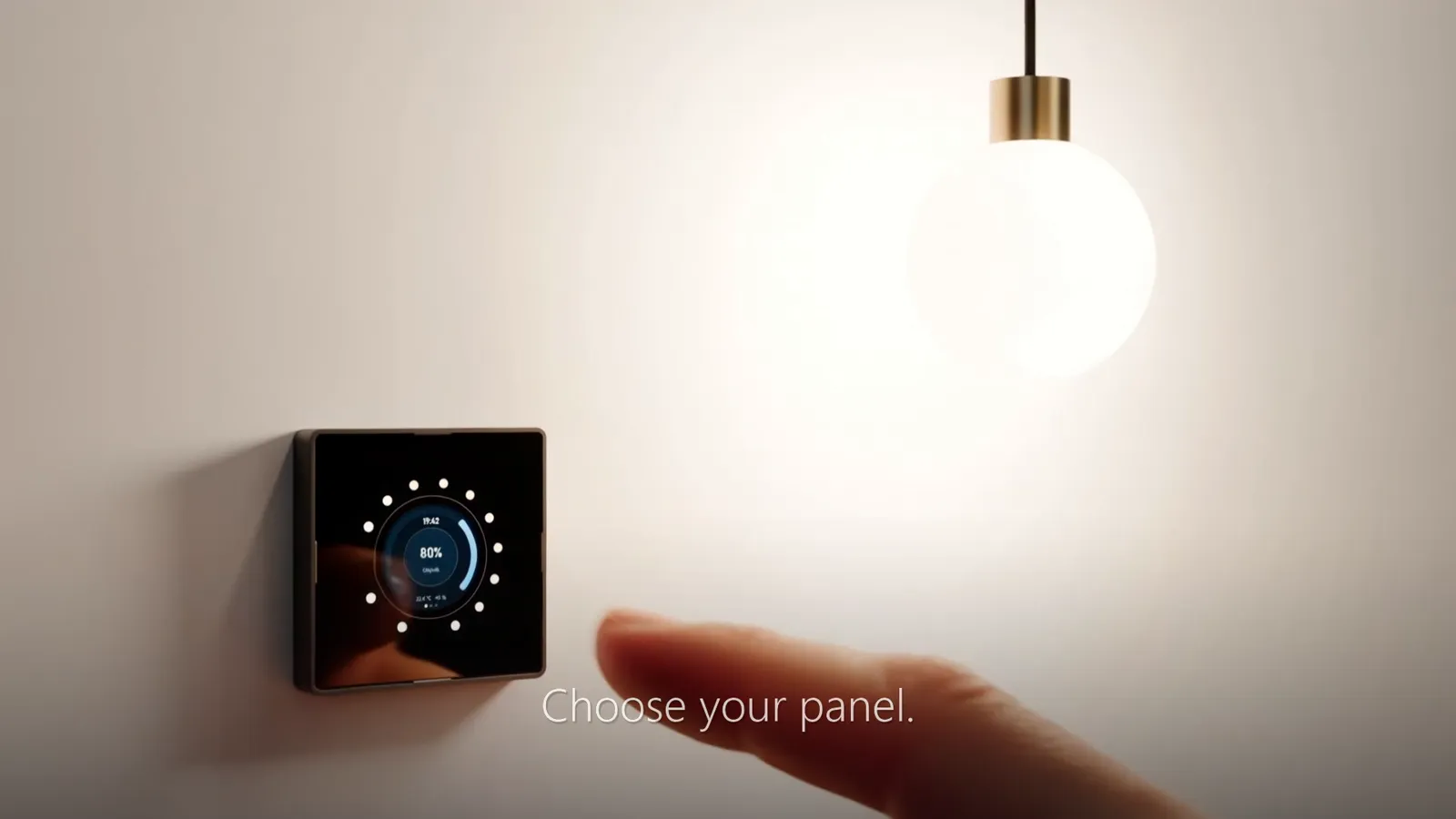
1. What happens when the internet or Wi-Fi goes down?
This is the first question and for most people the most important one. With some smart switches the command from the button goes to the manufacturer's cloud and only from there back to the relay. When the internet goes down or the manufacturer shuts the service off, the switch stops doing the one thing it has to do.
The right answer is: a touch switches the output directly in the switch, and the network is only an extra. That is how BALANS works. Scenes, the scheduler, the thermostat and the staircase timer run in the device, so after a router failure the light still turns on and off.
2. Does it need an account and the manufacturer's app?
An account means someone else knows about your home: when you are in, when the lights are on, how you heat. And an app means depending on the manufacturer still maintaining it for your phone in ten years.
BALANS is set up through a web interface right in the switch. You open it in a browser, it works without the internet, and a wizard takes you through the name, the room, touch calibration and the network connection. The switch sends no data to the manufacturer.
3. Will it fit my wall box, and does it need a neutral wire?
A smart switch contains a power supply and electronics, so it needs space and usually a neutral wire as well. In older installations there is often only the phase and the wire to the light at the switch. Ask your electrician before you buy anything.
BALANS is designed for a standard KPR 68 wall box and we verify it with a 70 mm deep box. The modules powered from 230 V need a neutral wire. The modules for LED strips and the PoE modules are powered from extra-low voltage or from the data cable.
4. What does it talk to?
Today you only want to turn the light on. In a year you may want to lower the blinds by the sun or heat according to who is at home. A switch should therefore speak open protocols, not just talk to one app.
- Home Assistant: once MQTT is enabled, the lights, sensors and touch events appear by themselves.
- MQTT for Node-RED, openHAB or ioBroker, and a REST API with webhooks for anything that speaks HTTP.
- Modbus TCP for PLCs. That matters mainly in offices, schools and plants where a controller runs the building.
- Linking switches to each other without a server: a staircase, a long corridor or “all off” at the door.
BALANS has all of these in its firmware. None of them is required, though: the switch also works entirely on its own, and you can add Home Assistant or a PLC at any time later.
5. What if your needs change?
An ordinary smart switch is a single piece. If you want to dim instead of switch, or control a blind instead of a light, you buy a new one and throw the old one away.
BALANS consists of three layers: the FACE front panel behind glass, the CORE control board and the POWER module at the bottom of the box. An electrician can replace just the module or just the panel, and the rest stays. The basic modules (relay, dimmer, LED strips, PoE power) are being tested on prototypes. The modules for DALI, blinds, 0–10 V and heating are in development.
6. How is it updated, and what if an update fails?
A device in the wall cannot easily be taken out and connected to a computer. So ask whether updates are signed, whether you decide about them, and what happens when a new version does not start.
With BALANS the firmware is uploaded through the switch's web interface and is signed. If the network and the web interface do not come up after an update, the switch returns to the previous version by itself. Automatic night updates are optional and off by default.
7. What about network security and electrical safety?
A smart device belongs in a separate home-automation network, not next to the computer you bank on. Remote access is done through Home Assistant or a VPN, never by forwarding a port on the router. With BALANS the web interface supports HTTPS and the login does not send the password over the network. MQTT runs unencrypted on the local network, hence the separate network.
And electrical safety: a 230 V switch may only be connected by an electrician. Ask for the declaration of conformity with every product. BALANS is still a prototype; the safety, EMC and radio tests are still ahead of us and we do not sell it until they are finished.
Summary: what to take away
- The light must turn on even without the internet, without Wi-Fi and without a server.
- Setup without an account and without an app outlasts any cloud.
- Open protocols (MQTT, REST, Modbus) do not tie you to one manufacturer.
- Discuss the wall box, the neutral wire and the wiring with your electrician in advance.
Frequently asked questions
Does a smart switch work without Wi-Fi?
It depends on the design. A switch that switches the output directly in the device works without the network and you only lose remote control. A cloud-dependent switch may not work without a connection. BALANS switches directly in the switch.
Do I need Home Assistant for a smart switch?
Not necessarily. Home Assistant is useful when you want to connect devices from different manufacturers and write your own automations. With BALANS, scenes, the scheduler and the thermostat run directly in the switch, so you can add Home Assistant later.
Can I wire a smart switch myself?
No. Connection to the 230 V mains may only be carried out by a person qualified in electrical engineering. You can then do the setup in the web interface yourself.
When will BALANS be on sale and how much does it cost?
We will start sales once testing is finished and the declaration of conformity is issued; we do not promise a date yet. We put the price together on request according to what you need in the room. If you are building or renovating now, write to us about a pilot installation.
Related pages
- BALANS: the modular smart switch
- What BALANS can do on its own, without a server
- Integrations: Home Assistant, MQTT, PLC
- BALANS for electricians
- A turnkey smart home with Home Assistant
Building or renovating?
We are looking for pilot installations where we can try BALANS in everyday use. Write to us about what you need to control in your house or office.