HmiLib – 216 dynamic symbols for WinCC Unified
Pumps, valves, piping, HVAC, heating and cooling sources, electrical, sensors and controls in one visual style. You add the symbols to TIA Portal as dynamic widgets and connect their state, position and medium flow to tags.
- dynamic symbols in the format .svghmi
- 216
- groups, from pumps to controls
- 9
- symbols with animated medium flow
- 45
- symbols with a rotating impeller or blades
- 27
A cooling loop built only from HmiLib symbols
Tank, duty and standby pumps, strainer, control valve, flow meter, pressure, temperature and a cooling tower. Medium flow and impeller rotation are driven by tags.Why HmiLib
We build WinCC Unified screens for plant rooms, cooling, HVAC and energy from ready-made parts that match each other and react to PLC data.
One visual style
All symbols share the same drawing style, outline weight and colour palette. The screen looks consistent from the pump to the navigation button.
State straight from the PLC
You connect the body colour and the status colour to a tag. Running, fault, manual mode or standby are shown according to the rules of your project.
Flow and rotation
Pipes, fittings and machines have parameters for the flow and rotation phase. One cyclically increasing tag is enough: the medium flows and pumps and fans turn.
Position and level
Valves, dampers, tanks and sensors have a 0–100 % position parameter. They show the opening, level or measured value without extra graphics.
Piping that connects
Pipes, elbows, tees, crosses and reducers share a common axis. You assemble water and air distribution from tiles without drawing by hand.
Standard dynamic widgets
The symbols are WinCC Unified dynamic SVG widgets. They contain no scripts and need no add-ons or third-party software.
Catalogue: 216 symbols in 9 groups
Each symbol shows its name in the TIA Portal toolbox. Symbols with the Fp prefix are more detailed variants for faceplates.
Pumps, compressors and drives
Centrifugal, inline, vertical, screw, submersible, dosing and twin pumps, compressor, blower, motor, gearbox and mixer.
Symbols 14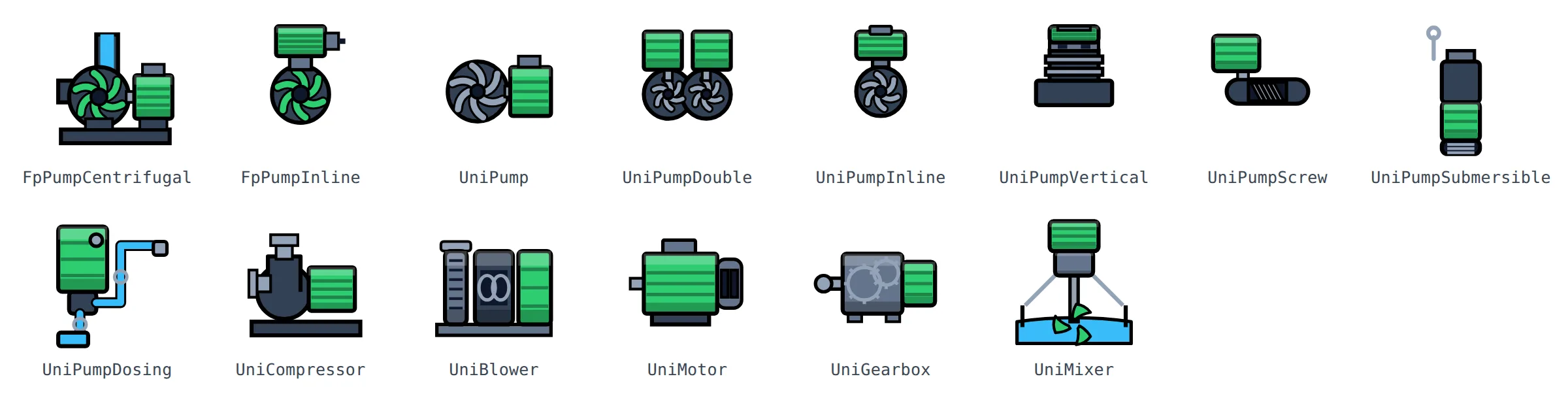
Valves
Control, three-way and four-way valves, ball valves, butterfly valves, gate and knife valves, check, safety and pressure-reducing valves, solenoid and balancing valve, venting and draining.
Symbols 24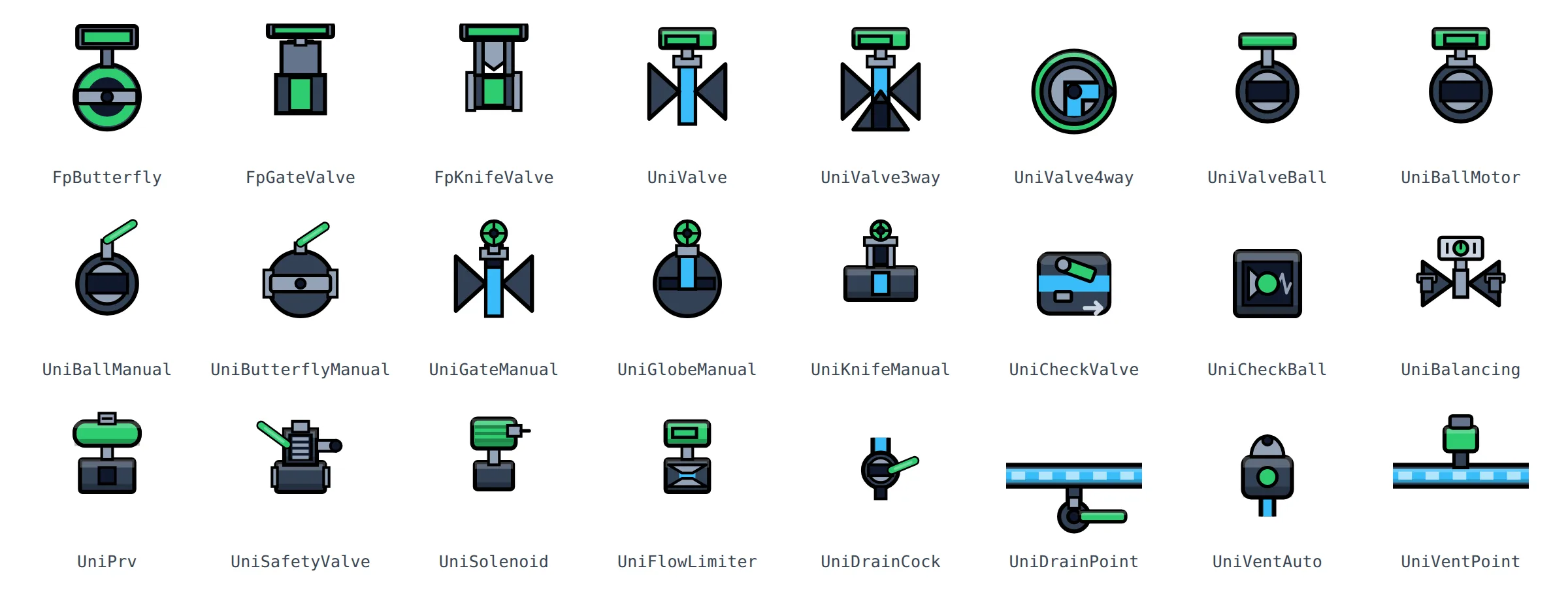
Piping and fittings
Straight pipes, elbows, tees, crosses, reducers, flanges, expansion joints, unions, anchors, supports, manifold, sight glass, strainer and flow-direction arrows.
Symbols 27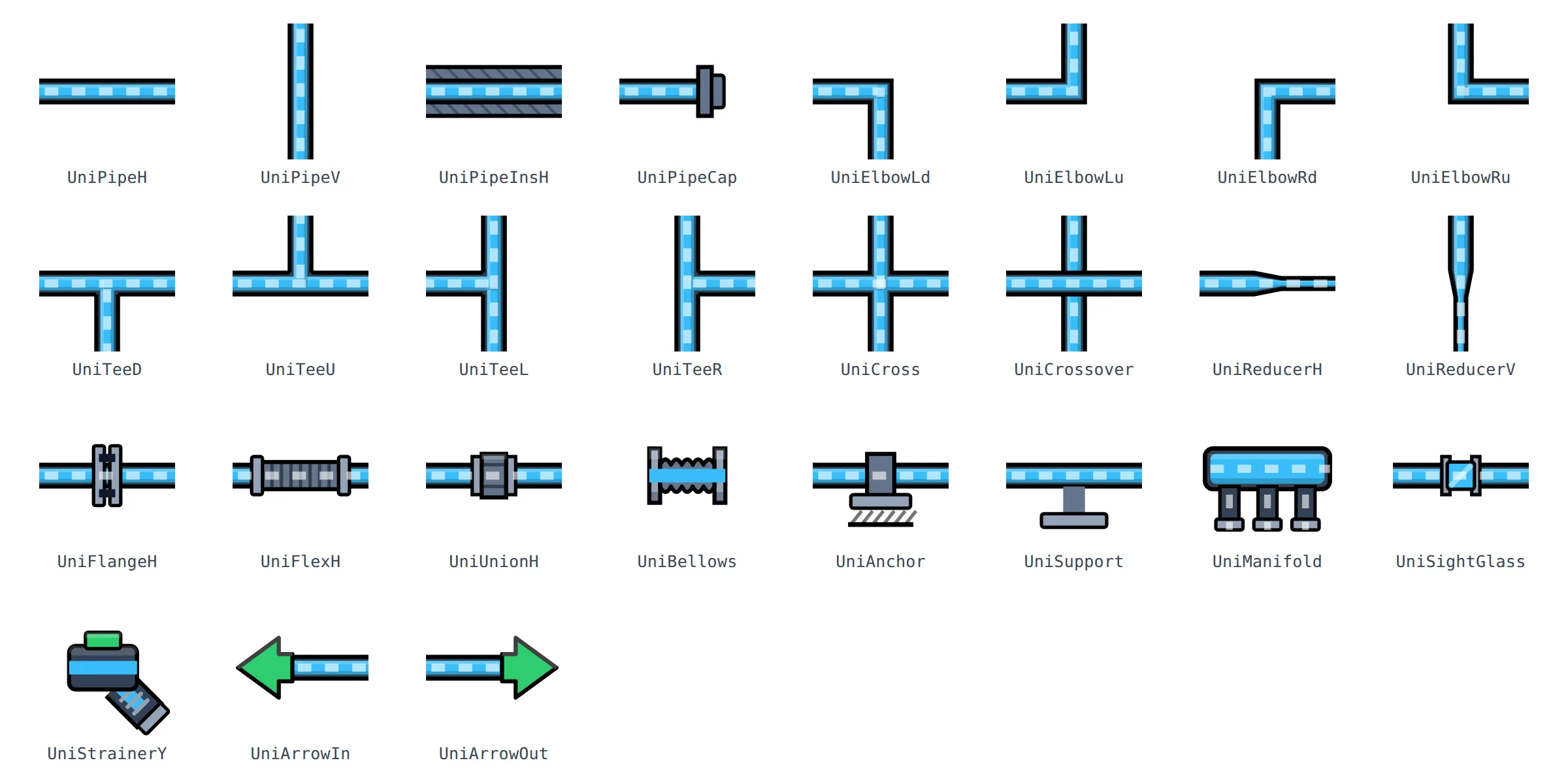
HVAC
Air handling units, heat recovery, fans, dampers and fire dampers, louvres, filters, heaters, coolers, humidifier, fan coil, VAV and duct parts.
Symbols 44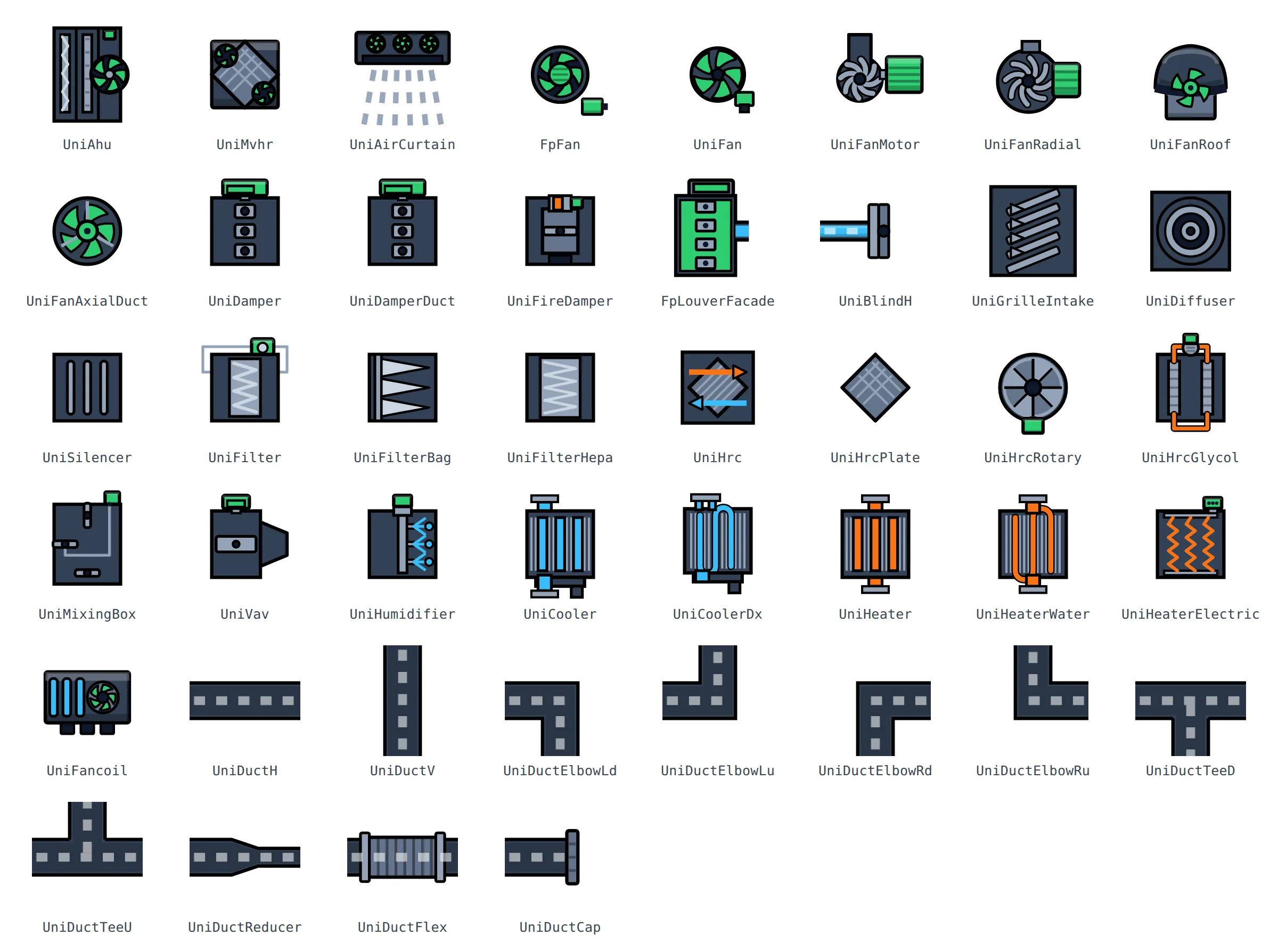
Heating and cooling sources
Boilers, heat pumps, chiller, cooling towers, dry cooler, CHP, solar collectors, heat exchangers, tanks and storage vessels, radiator, underfloor heating and air conditioning.
Symbols 27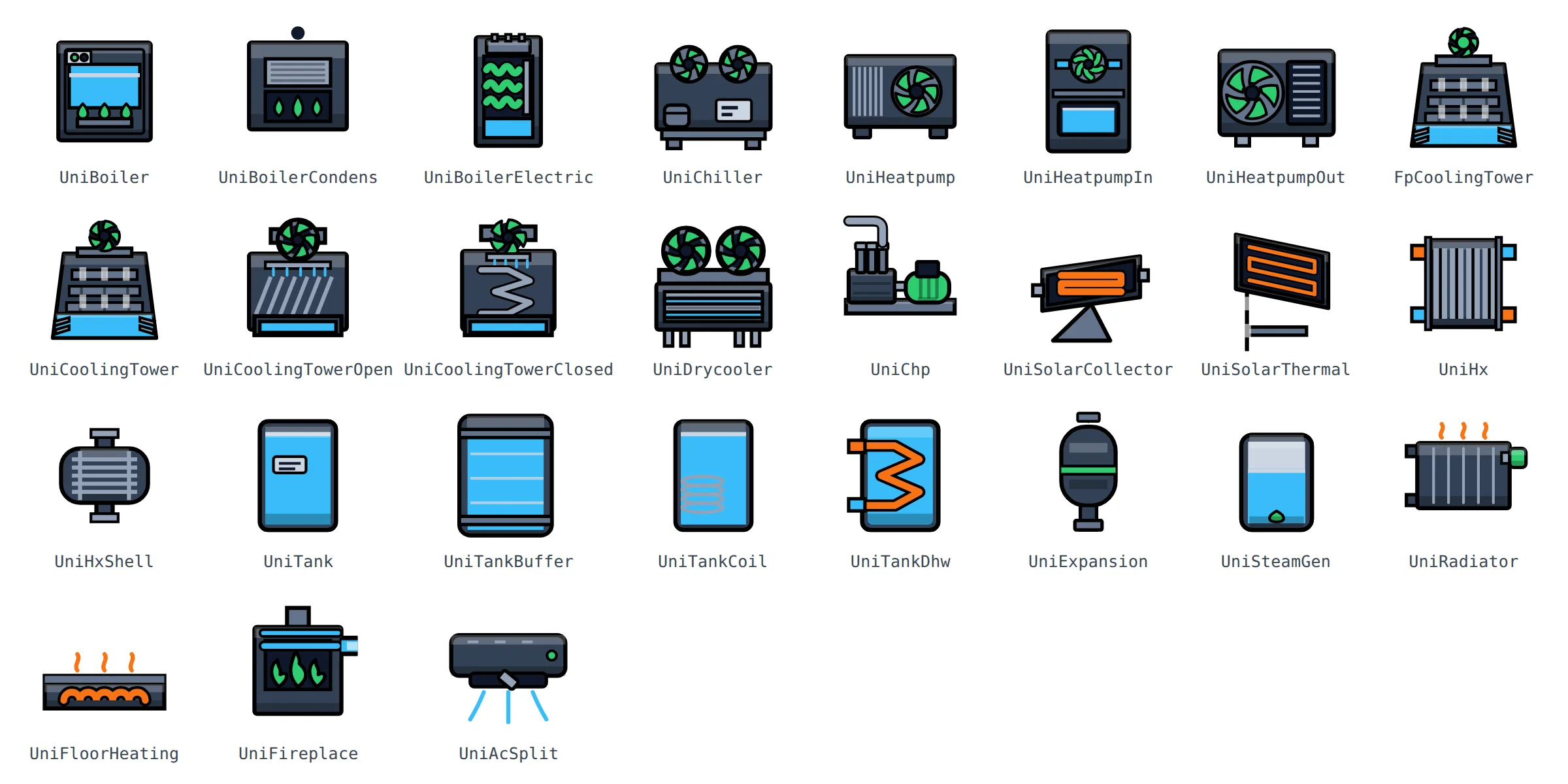
Water, buildings and more
Softener, sand filter, separator, dosing station, rainwater tank, well, house and room.
Symbols 8
Electrical and energy
Main switch, circuit breaker, contactor, relay, protection devices, MCC, frequency converter, soft starter, inverter, transformer, UPS, generator, grid, photovoltaics, wind turbine, battery, consumption metering and EV charging.
Symbols 23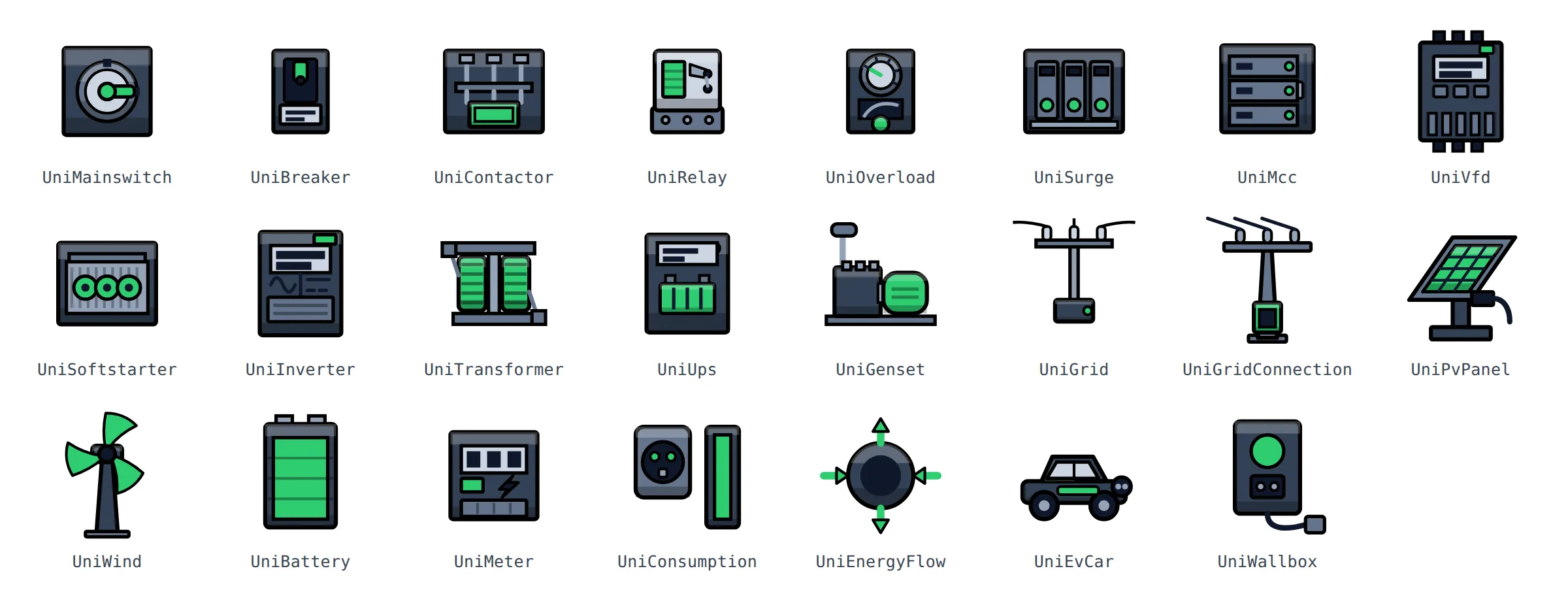
Measurement and sensors
Temperature, pressure, flow, level, differential pressure, CO₂, humidity, pressure gauge, flow switch, thermostat and other transmitters.
Symbols 11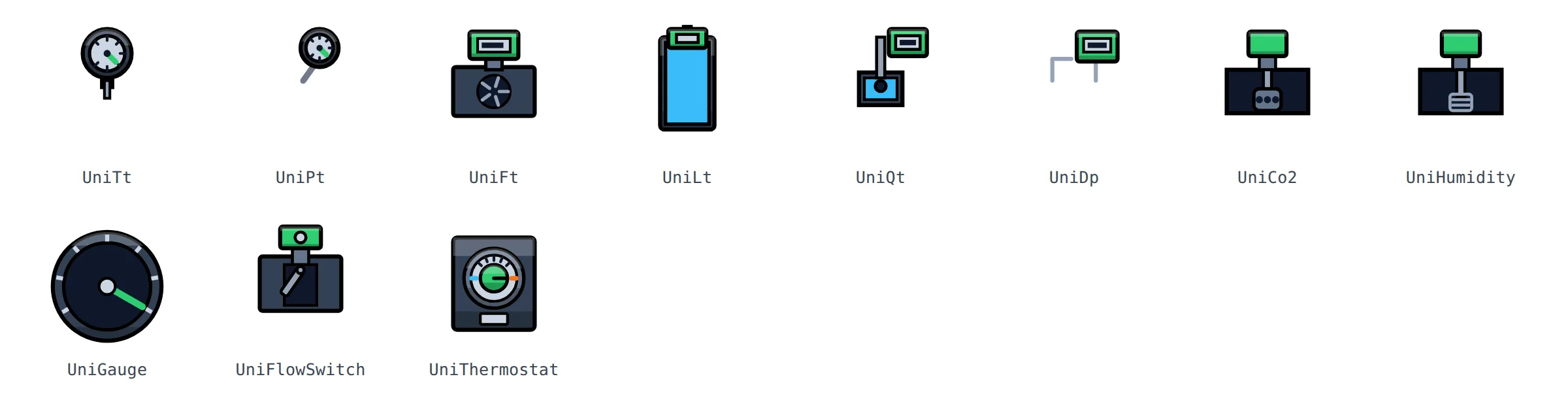
Controls, navigation and indication
Buttons, toggles, checkbox, slider, spin box, mode selection, hand/auto, action and navigation icons, acknowledge, alarms, badges, indicator lamp, seven-segment display, bar graph, progress and value and trend tiles.
Symbols 38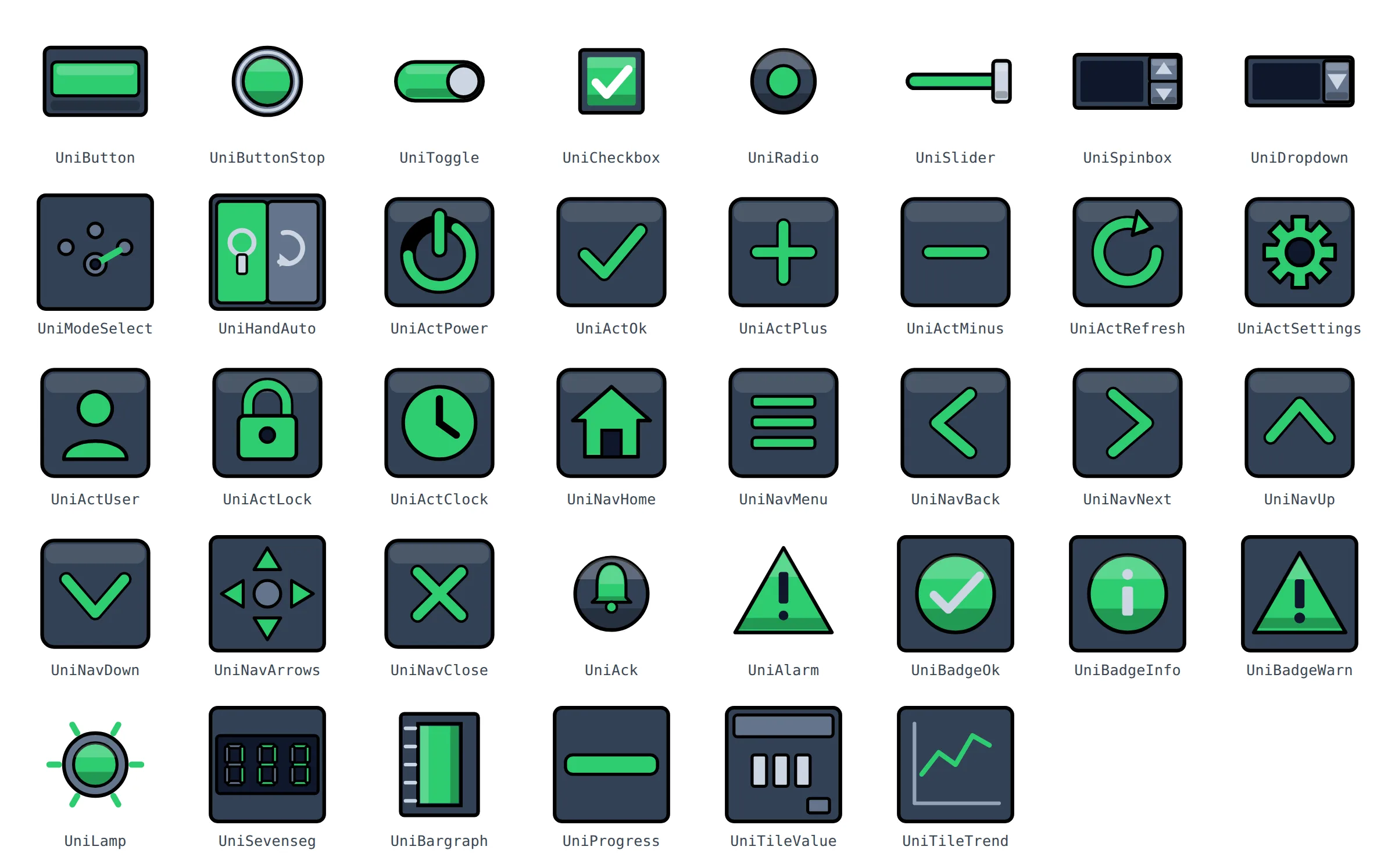
How to use the symbols
No installation and no changes to TIA Portal. The symbols are files that belong to the project.
Copy the files
Put the .svghmi files into the project folder
UserFiles\SvgControls.Refresh the toolbox
In the screen editor, open the dynamic widgets group in the toolbox and refresh the list.
Drag and connect
Drag the symbol onto a screen or into a faceplate and connect its parameters to tags or to the faceplate interface.
Symbol parameters
All symbols use the same parameter names. What you connect once for a pump, you connect the same way for a fan or compressor.
| Parameter | Type | Purpose | Symbols |
|---|---|---|---|
| BodyColor | HmiColor | Colour of the symbol body | 201 |
| StatusColor | HmiColor | Status colour: running, fault, manual mode, standby | 155 |
| MediumColor | HmiColor | Colour of the medium in a pipe, tank or valve | 63 |
| Position | number | Position, level or measured value 0–100 % | 47 |
| Flowing | boolean | Switches the flow display on and off | 45 |
| FlowPhase | number | Flow phase – connect a cyclically increasing tag | 45 |
| SpinPhase | number | Rotation angle of the impeller or blades in degrees | 27 |
| WarmColor, ColdColor | HmiColor | Warm and cold side of heat exchangers, boilers and heat pumps | 13 |
Price and licence
We will prepare a price and an offer based on your inquiry – just send the form. Online sales are launching soon.
FAQ
Didn't find an answer? Write to us.
Which system is HmiLib for?
For WinCC Unified in TIA Portal. The symbols are dynamic SVG widgets (.svghmi) that WinCC Unified loads from the project folder.
How do I animate flow and rotation?
Connect a cyclically increasing tag, for example a counter in the PLC, to the FlowPhase or SpinPhase parameter. The Flowing parameter switches the flow on and off, so the piping of a stopped pump stays still.
Can I change the colours?
Yes. The body, status and medium colours are symbol parameters. You set them for each instance or connect them to a tag and change them at runtime.
Can the symbols be used in faceplates?
Yes. You place the symbol in your own faceplate and connect its parameters to the faceplate interface. The library also includes more detailed variants for faceplates with the Fp prefix.
How do the symbols connect to each other?
All piping and duct parts are drawn on the same grid with a common axis. When you place them side by side at the same size, pipes, elbows and tees connect exactly.
How do I get HmiLib?
Send an inquiry via the form or by e-mail to benesl@benesl-automation.cz. We will prepare an offer, and after you order you receive the files of the whole library.
Build WinCC Unified screens from ready-made parts
Tell us which project you need the symbols for. We will prepare a price and an offer.
Siemens, SIMATIC, TIA Portal and WinCC are trademarks of Siemens AG. HmiLib is an independent product of Benešl Automation and not a Siemens product. Other names are trademarks of their respective owners.