Let AI work inside your TIA Portal – safely and locally
TIA MCP is an MCP server that gives Claude, ChatGPT, Gemini, Copilot or Cursor 260+ tools over a live project: blocks, tags, hardware, WinCC Unified, alarms, translations, code review and documentation. Every write is backed up and can go through your approval.
- tools for AI agents
- 260+
- local, no cloud, no telemetry
- 100 %
- TIA Portal versions, runs on Windows
- V17–V21
- documentation and manual
- CZ · EN · DE
What TIA MCP does
Everything you do today by hand in Openness XML or by clicking, as tools the AI agent calls itself. You just assign and approve.
SCL, LAD and FBD generation
Blocks from a natural-language description or a specification, including interface, DBs and UDTs. Compile and fix errors in one loop.
WinCC Unified and Comfort migration
Screens, faceplates, tags, dynamizations, scripts and checks. Migration of Comfort panels to Unified including UDT tags and faceplates.
Hardware and network
Devices, modules, I/O addresses, PROFINET topology and IP addresses. Read and write, including an I/O checklist for commissioning.
Project analysis and audit
Full-text search, cross references, call hierarchy, state machines and checks against your naming conventions.
Operator manuals
Data collection from the project, Unified screenshots and a PDF operator manual in your corporate template.
Versioning and Git
Text export of the project to Git, block comparison between projects, a backup before every write and an audit of all changes.
Code review and safety checks
Review a block or the whole PLC: multiple coils, unchecked STATUS, ACK_NEC on F-blocks, missing F-I/O reintegration. Cross-PLC checks: IP addresses, PROFINET names, drifted communication DBs.
Project translation
Add a language, export texts in batches, translate with a glossary and placeholder checks, import back and check untranslated texts.
Alarms and I/O list
Alarm table to Excel, bit alarms from a list (DB, HMI tags and Unified alarms) and import of an Excel I/O list into tag tables.
Change report and FAT/SAT
What changed in the project between backups or versions (blocks, interfaces, tags), FAT and SAT checklists and block transfer between PLCs including UDTs.
Local AI without internet
The copilot in the web interface also works with models on your own hardware – Ollama, vLLM, LM Studio or a GPU server in your company network. Neither the project nor your prompts leave your network.
ChatGPT, Copilot Studio and Gemini
Besides local mode also remote MCP over HTTPS with a token. A remote client gets read-only tools by default.
Drives, OPC UA and network
SINAMICS drives in Startdrive: parameters, telegrams, comparison and connection to an axis. OPC UA server interfaces from DBs and an IP plan with PROFINET names via Excel.
Software Units, Multiuser and tests
Splitting the program into Software Units with namespaces, working on a server project, unit tests of blocks, TIA Test Suite and upgrading libraries from older versions.
Block library
Proven Benešl Automation blocks inserted with one command, such as a universal Modbus TCP client or RTU master for S7-1500 and S7-1200.
How it works
TIA MCP runs on the engineering workstation next to TIA Portal. The AI client talks to it via the Model Context Protocol, like any other MCP server.
You describe the task
In Claude, ChatGPT, Gemini, Copilot or Cursor you describe what should be created or changed in the project.
The agent calls tools
It reads the project, picks the right tools and prepares the changes. Multi-step edits as a plan for approval.
You approve
The web interface shows the exact steps. Read-only mode keeps writing locked until you allow it yourself.
TIA Portal executes
Changes go through the official Openness API into the open project, get compiled, and a backup remains for rollback.
What it looks like
The TIA MCP web interface on a test project. The screenshots are from the real application; the computer ID is masked.
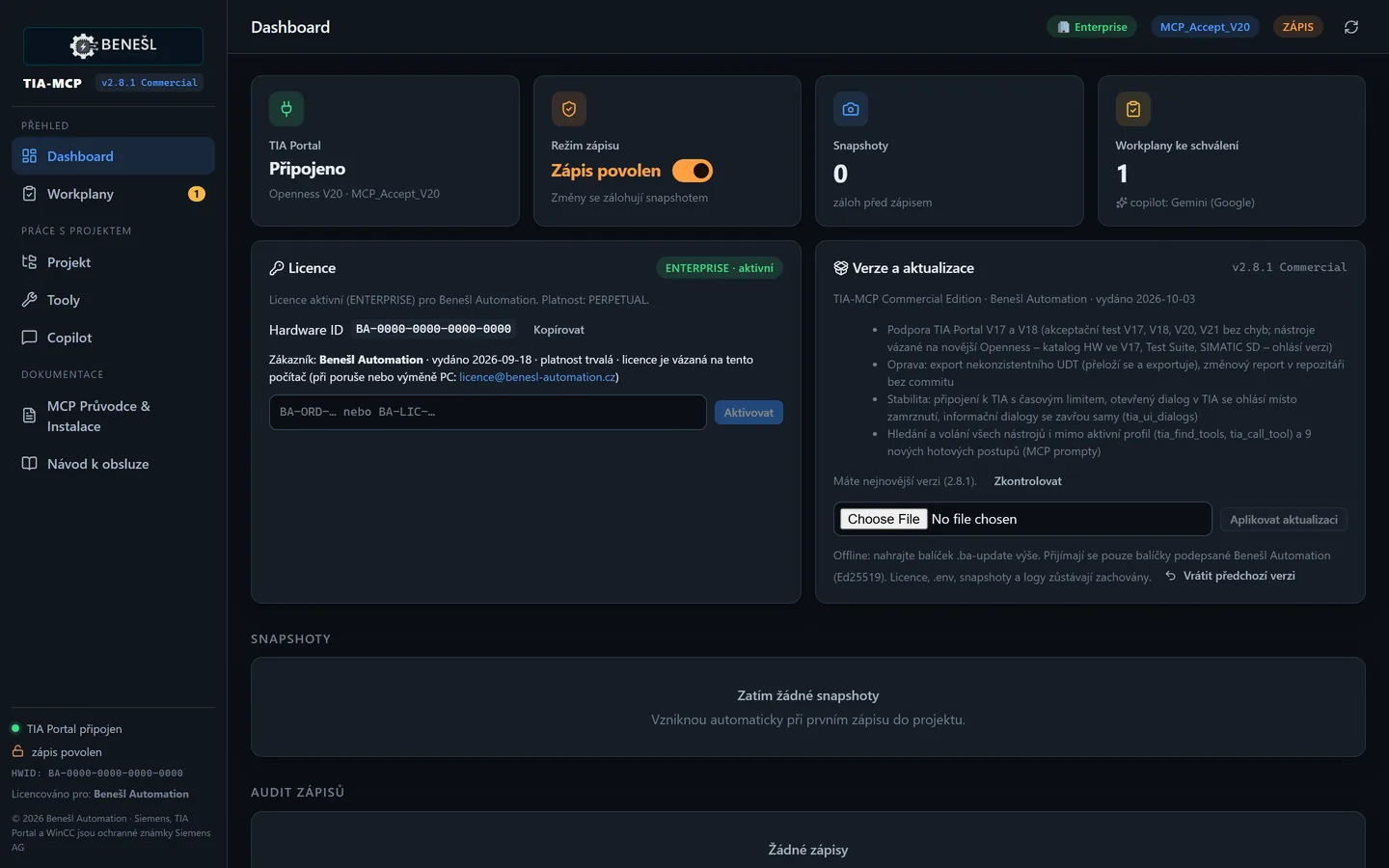
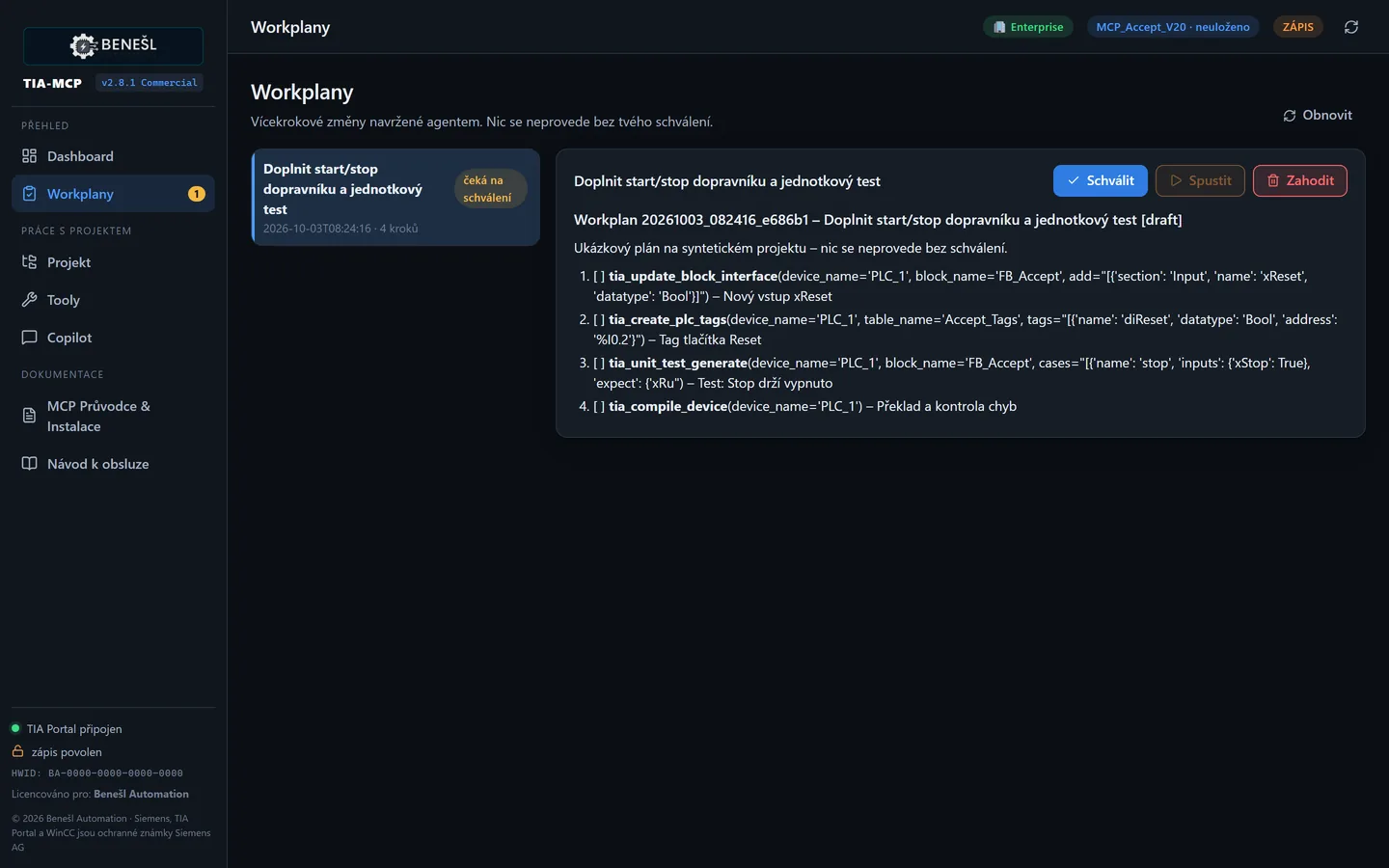
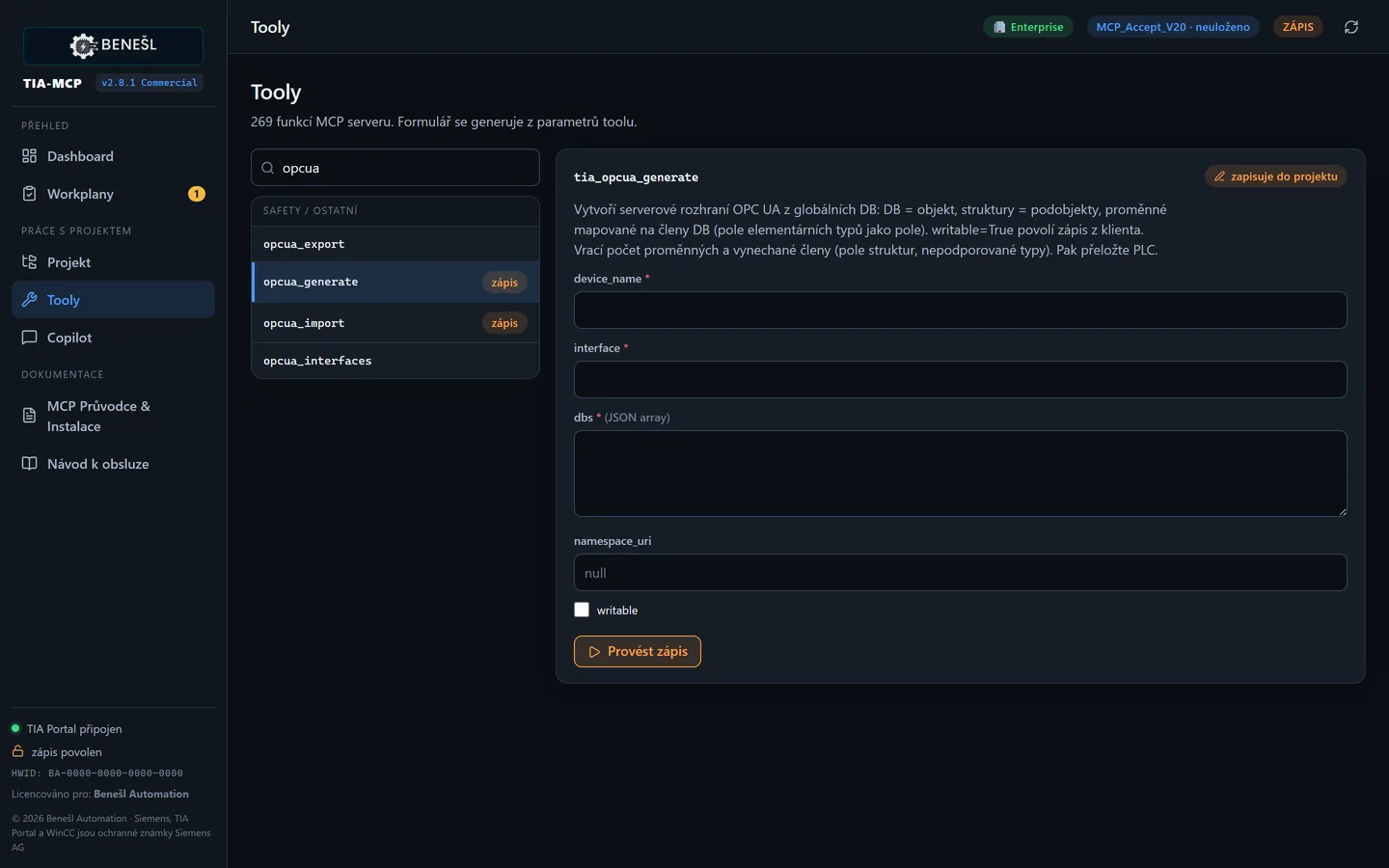
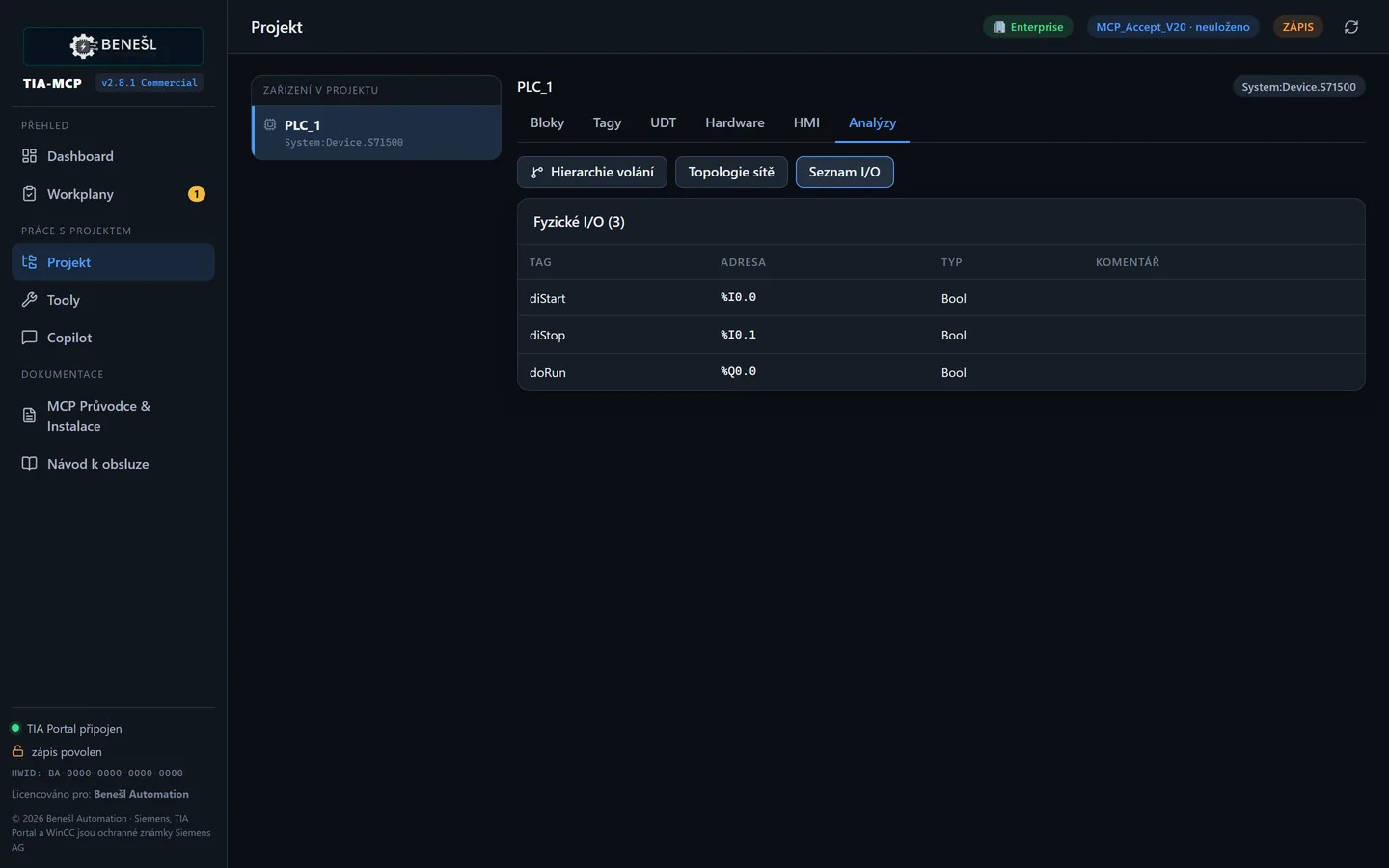
Built for industryNothing reaches the control system that you haven't seen.
Write safety is the core of the product, not an add-on. TIA MCP only changes the engineering project – downloading to the PLC stays with you.
Backup before every write
Atomic backup of the block, tag or screen; rollback with one command.
Plan with approval
Multi-step changes are planned first and executed only after you approve.
Read-only lock
A global switch that survives restarts. No tool or copilot can then change the project.
Audit and local operation
Every write in the audit log, no cloud. The licence is verified offline.
Signed updates
Installation accepts only packages digitally signed by the vendor.
What makes TIA MCP different
Several solutions now offer AI for TIA Portal. Here is a fair comparison with what is common on the market.
| Feature | TIA MCP | Typical cloud copilot | Typical open-source MCP server |
|---|---|---|---|
| Runs locally, your project never leaves your computer | ✔ | ✖ | ✔ |
| Choice of AI: Claude, ChatGPT, Gemini, Copilot, Cursor and local models | ✔ | ✖ | ◐ |
| Backup before every write, plan with approval, read-only lock | ✔ | ◐ | ◐ |
| WinCC Unified including migration from Comfort Panels | ✔ | ◐ | ◐ |
| Code review with safety rules and cross-PLC review | ✔ | ◐ | ✖ |
| Virtual FAT in PLCSIM Advanced | ✔ | ◐ | ◐ |
| Operator manuals and change reports as PDF | ✔ | ✖ | ✖ |
| Licence verified offline, signed updates | ✔ | ✖ | ✖ |
| Vendor support in Czech, documentation in CZ/EN/DE | ✔ | ◐ | ✖ |
| Price | €295 per year per computer | subscription, usually monthly per user | free, without warranty or support |
✔ yes · ◐ partly or only in some products · ✖ no. The comparison is based on publicly available descriptions of common solutions as of October 2026; individual products may differ.
Migration from Beckhoff, B&R, WAGO and Schneider to Siemens
TIA MCP converts a project from another platform into TIA Portal building blocks: SCL, LAD, data types, global DBs, I/O tags and WinCC Unified screens. You get a project that compiles and a report listing what still needs manual work.
Sources
Beckhoff TwinCAT 3, B&R Automation Studio, CODESYS and WAGO e!COCKPIT (PLCopen XML), Schneider Machine Expert and Control Expert (XEF).
ST and ladder
Structured Text to SCL, ladder to LAD including timers, counters and edges. SFC to SCL with step flags.
Data and I/O
Structures as UDTs, enumerations as constants, global variables as DBs. I/O as PLC tags mapped into the program.
HMI
B&R mapp View and TwinCAT HMI screens as a WinCC Unified draft: texts, buttons, I/O fields, indicators and HMI tags.
Migration report
Status of every block, tasks mapped to OBs, unknown library blocks and the places that need an engineer's decision.
Verification in PLCSIM
The converted program is compiled in TIA and tested against the original machine's behaviour before commissioning.
Automatic conversion is a starting point, not a replacement for an engineer: motion and communication libraries and object-oriented code (methods, interfaces) are finished manually using the report. Turnkey migration is also available as a service.
Editions and pricing
The licence is bound to the workstation and verified offline. Buy PRO online by card or Google Pay and activate it right away; ENTERPRISE for the whole company on request.
Trial
Free · 7 days · 1 workstation
- All tools
- Unlimited reading and analysis
- 50 project writes
PRO
295 € / year per computer, excl. VAT
- Unlimited project writes
- SCL, LAD, FBD, WinCC Unified, migration, manuals
- Signed updates included
- Vendor e-mail support
Launch offer: with the code START185 the first year is just €185.
ENTERPRISE
On request · unlimited workstations
- Everything in PRO, company-wide
- Integration of your libraries and conventions
- Support per agreement
- Team training
Where the time goes
Indicative comparison from our own use on S7-1500 projects with WinCC Unified. Actual savings depend on the project and how consistent your conventions are.
| Task | By hand | With TIA MCP |
|---|---|---|
| I/O addressing and tag table import | hours | minutes |
| Standard blocks (motor, valve, PID) | hours to a day | tens of minutes |
| Comfort → Unified migration | days | hours |
| Convention audit and cross references | hours | minutes |
| Operator manual with screens | 1–2 days | tens of minutes + review |
| Translating project texts into another language | days | hours + review |
| Alarm table and HMI bit alarms | hours | minutes |
| PLC code review before FAT | a day | tens of minutes |
Figures are indicative vendor estimates, not guaranteed values.
FAQ
Didn't find an answer? Write to us – we are happy to demonstrate TIA MCP on your project.
Do I need internet or the cloud?
No. TIA MCP runs locally and verifies the licence offline. The only exception is running in a virtual machine, where the licence is renewed online automatically at least every 30 days. Optional exceptions are the copilot in the web interface with a cloud model (with your own API key) and the remote mode for ChatGPT or Copilot Studio, which you switch on yourself. The copilot can also run with a local model (Ollama, vLLM, LM Studio) – then you need no internet at all. AI clients such as Claude or Cursor talk to their model under their own terms; TIA MCP sends them only the data the agent requests.
Which TIA Portal versions do I need?
TIA Portal V17 to V21 with Openness installed (part of the installation) and a user in the “Siemens TIA Openness” group. TIA MCP contains no Siemens components and is not a Siemens product.
Does TIA MCP work on a Mac or Linux?
TIA MCP runs on Windows only, because TIA Portal exists only for Windows and TIA MCP talks to it through the Openness interface on the same computer. On a Mac or Linux, use a Windows virtual machine with TIA Portal and TIA MCP. The AI client itself can run anywhere, though: in remote mode it connects to the TIA computer over a secured, token-protected connection, read-only by default.
Does TIA MCP work in a virtual machine?
Yes (from version 2.6). A licence for a virtual machine is renewed online automatically at least every 30 days – this is how we know the same licence is not running in several copies of the machine. Every concurrently running copy of a virtual machine needs its own licence. For virtual machines without internet access we offer a tailored solution.
What if the agent makes a mistake?
Every write has a backup you restore with one command or click. Multi-step changes also go through a plan you see and approve beforehand. You can keep the read-only lock on and allow writing only when you want.
Does it work with safety (F-blocks)?
Reading F-blocks, the F-signature, safety report and review with safety rules – yes. F-LAD and F-FBD generation is experimental; GRAPH is not supported yet. The status of every tool is in the acceptance matrix shipped with the product.
How is it installed?
Download the ZIP from the Licences page, extract it, run Run_TIA_MCP.bat and paste one configuration block into your AI client following the included guide. For computers without internet, a portable version with its own Python is available on the same page, so nothing needs to be installed on the workstation.
How does the subscription work and what if I cancel?
The PRO licence is paid yearly per computer and renews automatically; you can cancel it at any time in subscription management. When the subscription ends the licence stops working; your project and the blocks you created are not affected in any way.
Can I move the licence to another computer?
No, the licence is bound to a specific computer and is non-transferable – that is why TIA MCP can verify it offline without internet access. In case of failure, destruction, theft or replacement of the computer, contact us and we will resolve it individually. Reinstalling TIA MCP or Windows does not use up the licence – from version 2.6 the Hardware ID is derived from the computer's firmware. If the mainboard is replaced, write to us.
Try TIA MCP on your own project
Write to us and we'll send you the trial, or buy a PRO licence right away and activate it in a few minutes.
Siemens, SIMATIC, TIA Portal, WinCC, STEP 7 and Openness are trademarks of Siemens AG. TIA MCP is an independent product of Benešl Automation and is not a Siemens product. Claude, ChatGPT, Gemini, Copilot and Cursor are trademarks of their respective owners.